
Product guide · Inside a site · SEO Intelligence
Cannibalization
Cannibalization finds the searches where two or more of a client site’s pages are competing with each other in Google. For each one, AlmaSEO picks the page that should win and tells you what to do with the others. It reads the site’s own Search Console data, and it costs nothing to run.
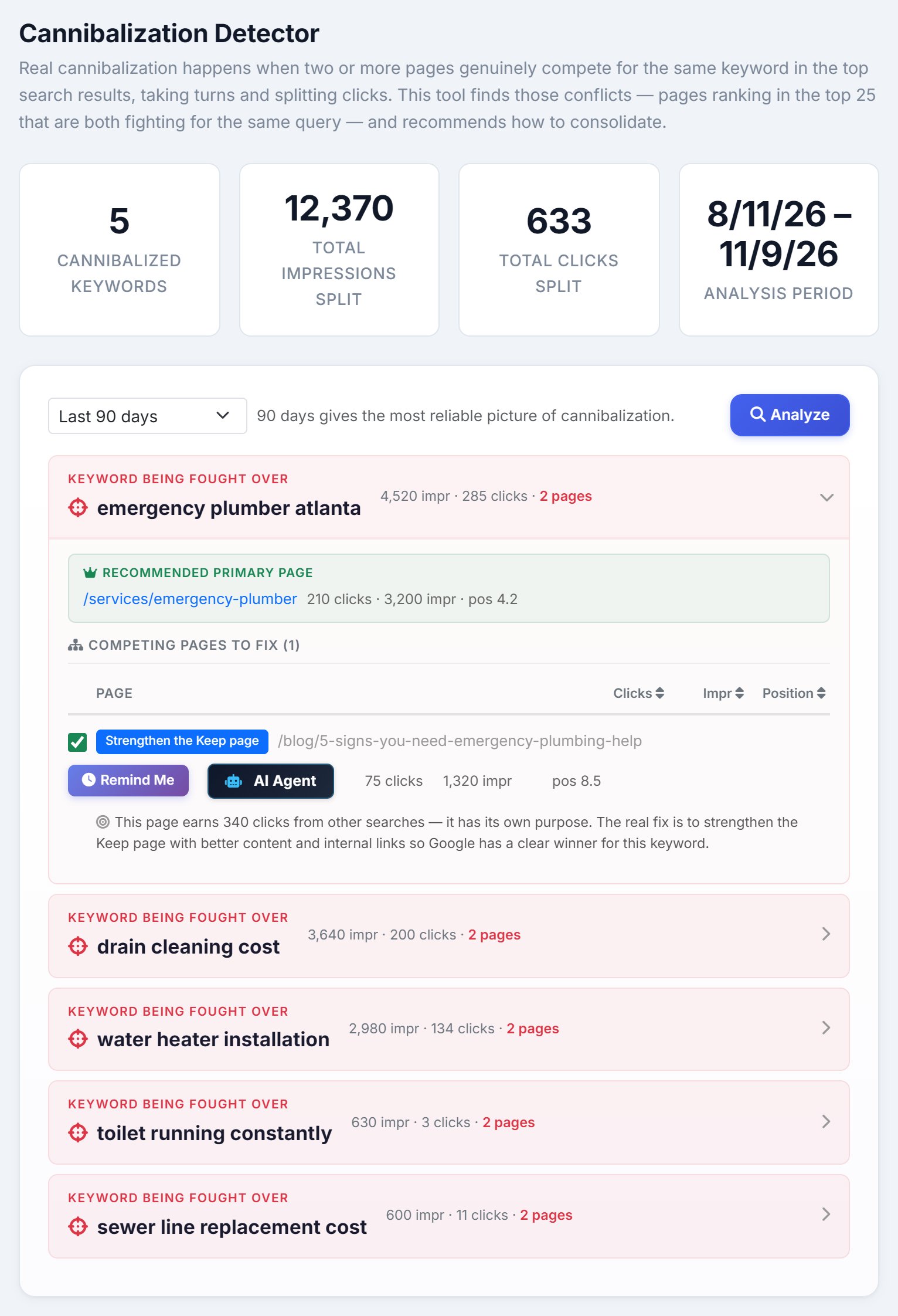
What cannibalization is, and when it’s harmless, is on the keyword cannibalization checker page. How to fix it, step by step, is in the tutorial. This page explains the screen.
The summary
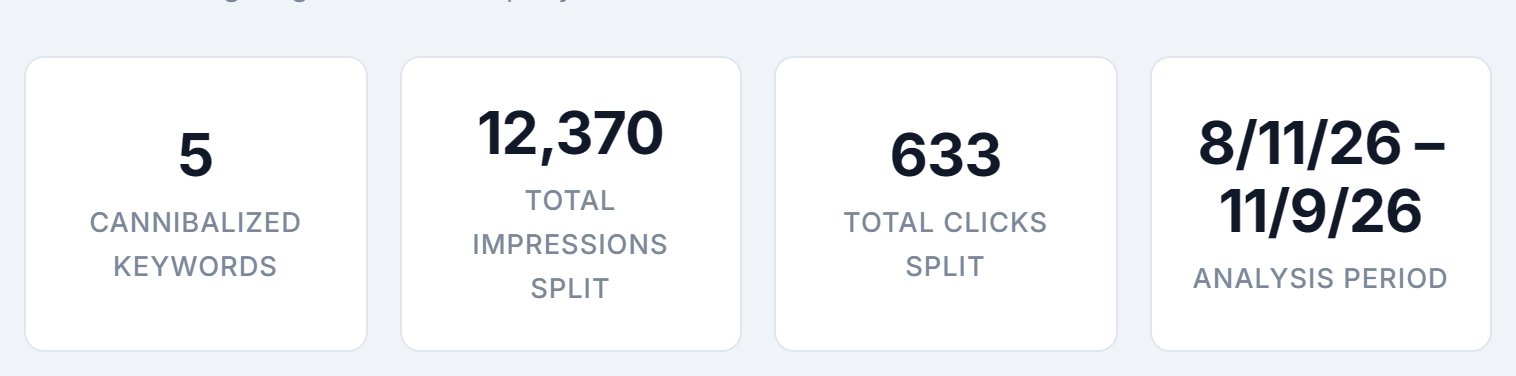
- Cannibalized Keywords
- How many searches have two or more of the site’s pages competing. The list shows the 20 with the most impressions.
- Total Impressions Split and Total Clicks Split
- The impressions and clicks those searches earned, shared between the competing pages, across every conflict, not just the 20 on screen.
- Analysis Period
- The dates the numbers cover.
Range and Analyze

Choose Last 7 days, Last 28 days or Last 90 days. Google often swaps which page it shows for a search from one week to the next, so a short window can miss a conflict or show one that has already settled. 90 days catches the ones that come and go; 28 days is for checking a recent change; 7 days only spots brand-new problems. The list runs when you open the tab and again when you change the range or click Analyze.
What counts as a conflict
Two pages showing up for the same search isn’t always a problem. AlmaSEO only lists a search when:
- it had at least 100 impressions in the period;
- two or more pages ranked for it in the top 25;
- each of those pages had at least 20 impressions and at least 10% of the search’s impressions;
- and each page is about the search, judged from its address and, when AlmaSEO has audited the site, its title and main heading.
It leaves out searches for the business’s own name, likely sitelinks (the extra links Google shows under a result), language versions of one page, and location pages for different towns, because none of those are cannibalization.
Reading a conflict
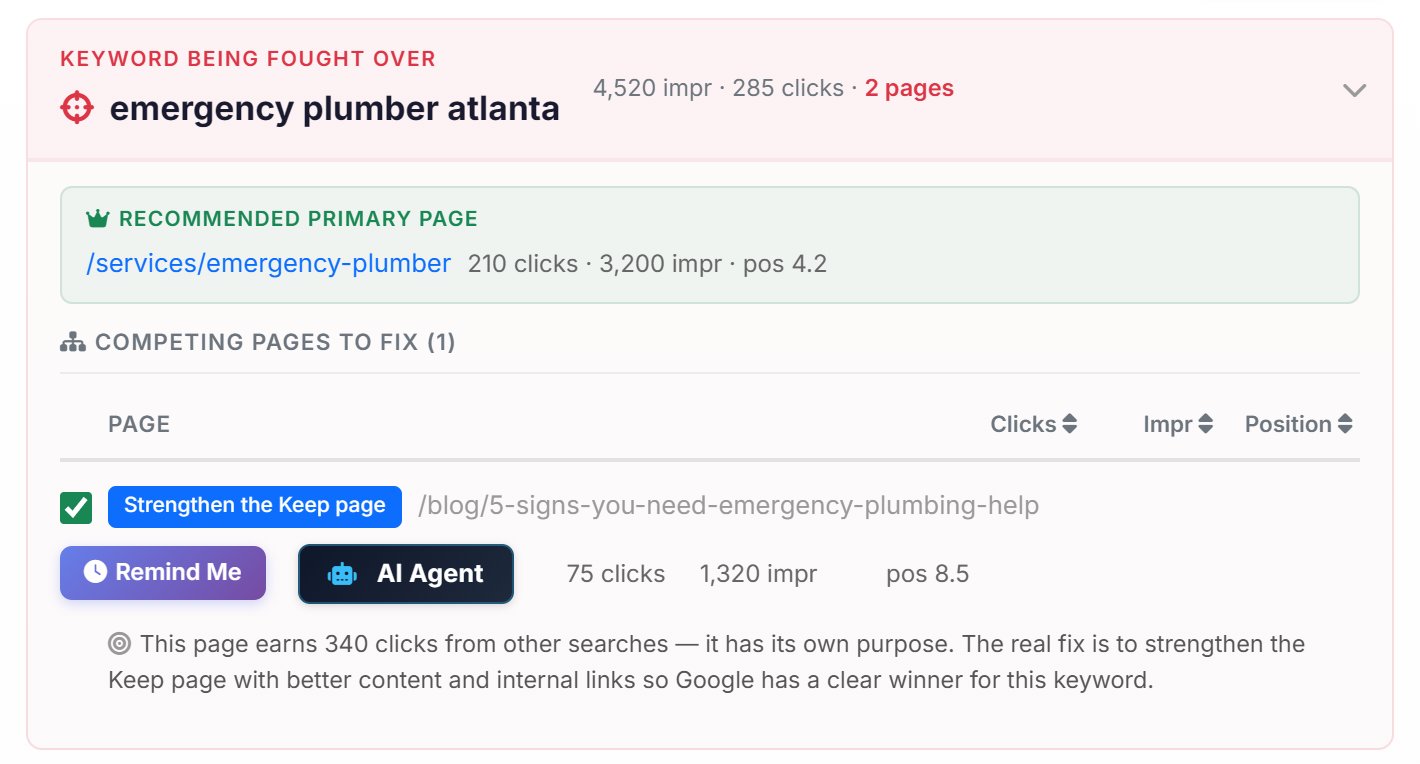
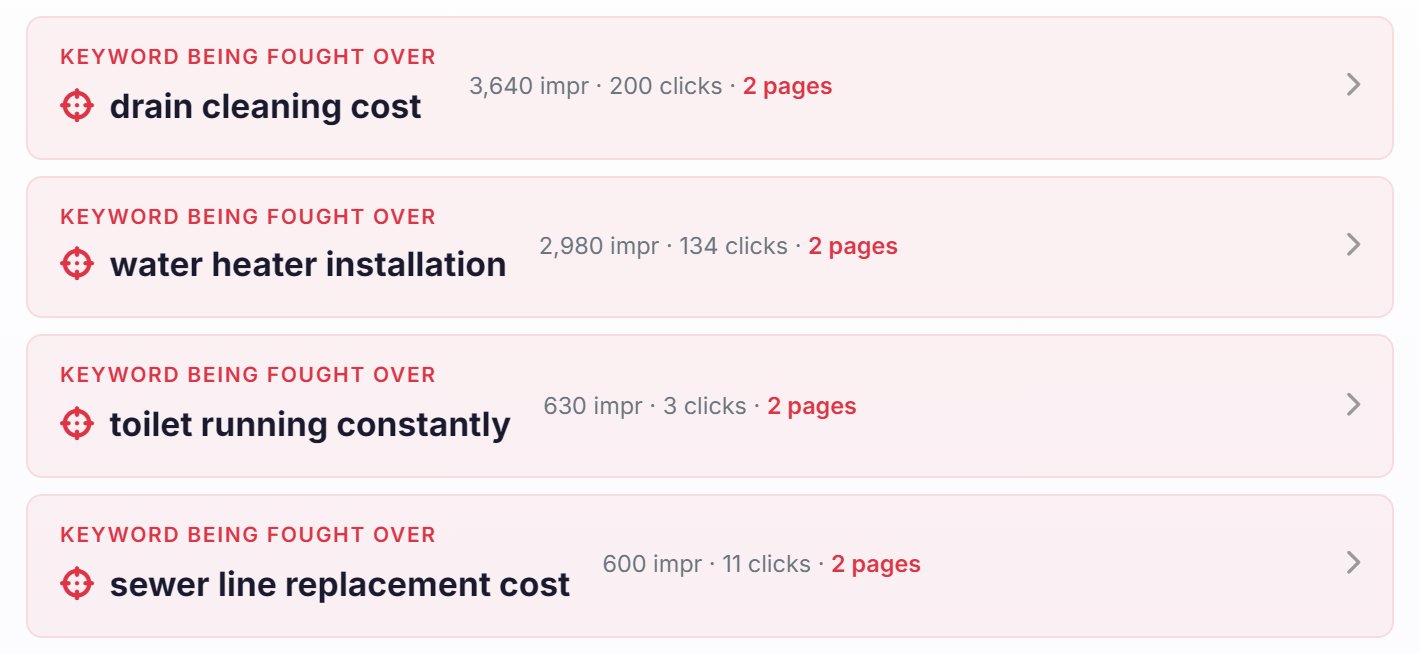
Each search is a card, biggest first. The header shows the search, its total impressions and clicks, and how many pages compete for it. Click it to open:
- Recommended primary page
- The page that should win this search, with its clicks, impressions and position. More on how it’s chosen below.
- Competing pages to fix
- Every other page, with its clicks, impressions and position. Click Clicks, Impr or Position to sort them. Each has a coloured label and, under it, the reason in a sentence.
The Keep page
When one of the pages has had at least 10 clicks for the search, AlmaSEO keeps the one with the most clicks: Google and searchers have already chosen it. With fewer clicks than that to go on, it keeps the page most clearly about the search, then the one ranking highest. The homepage is never picked over a page dedicated to the topic.
The labels
Each competing page gets one label. The wording comes straight from the app.
- Consolidate or differentiate
- The same kind of page as the Keep page, with fewer clicks. If they cover the same topic from the same angle, merge the weaker into the stronger. If they answer different questions, make their titles and headings say so.
- Review — both pages get clicks
- Both pages earn real clicks for the search. Read them side by side before changing anything: pick one and redirect the other if they say the same thing, or differentiate them and link between them if they don’t.
- Strengthen the Keep page
- This page earns most of its clicks from other searches, so it has its own job. Leave it, and give the Keep page better content and more internal links.
- Differentiate and link
- Different kinds of page, such as a blog post and a service page. Keep both, link from the weaker to the Keep page using the search in the link text, and make their titles clearly different.
- Link to main page
- A sub-page of the Keep page. That’s normal site structure; make sure it links up to the Keep page.
- No click data yet
- Neither page has had a click for the search in the period. Nothing to fix yet; check again later.
- Not actionable
- A utility page, such as contact or about, that turned up for the search. Leave it.
Done, Remind Me and AI Agent
- The tick box
- Tick a competing page once you’ve dealt with it. It’s struck through so you can see what’s left, and the tick is saved for everyone on the account.
- Remind Me
- Opens a reminder set four weeks out, with the search and the numbers before the fix for both the page you fixed and the Keep page, so in four weeks you can see whether Google settled on the Keep page.
- AI Agent
- Sends the page to AI Agent Workspace as a task naming the search, the label and the Keep page. Pro and Agency; on Solo the button reads AI Agent · Pro.
When the list is empty
An empty list says No conflicts found, then counts the searches where two or more of the site’s pages showed up but didn’t count as a conflict, and why: a page ranked below position 25, the search had under 100 impressions, one page looked like a sitelink, it was a brand search, or one page had too small a share. On a small site, most searches are left out for low impressions; try Last 90 days before deciding there’s nothing to fix.
The site’s SEO Recovery audit runs the same check and raises a warning when three or more searches are cannibalized.