
Product guide · Inside a site · SEO Intelligence
Quick Wins
Quick Wins finds the keywords a client site already ranks for on page one or just below it, where people see the result but don’t click it as often as they should. Each row names the page, shows the title it carries today, and estimates the extra clicks a better one could earn. It’s the fastest way to improve click-through rate without writing anything new.
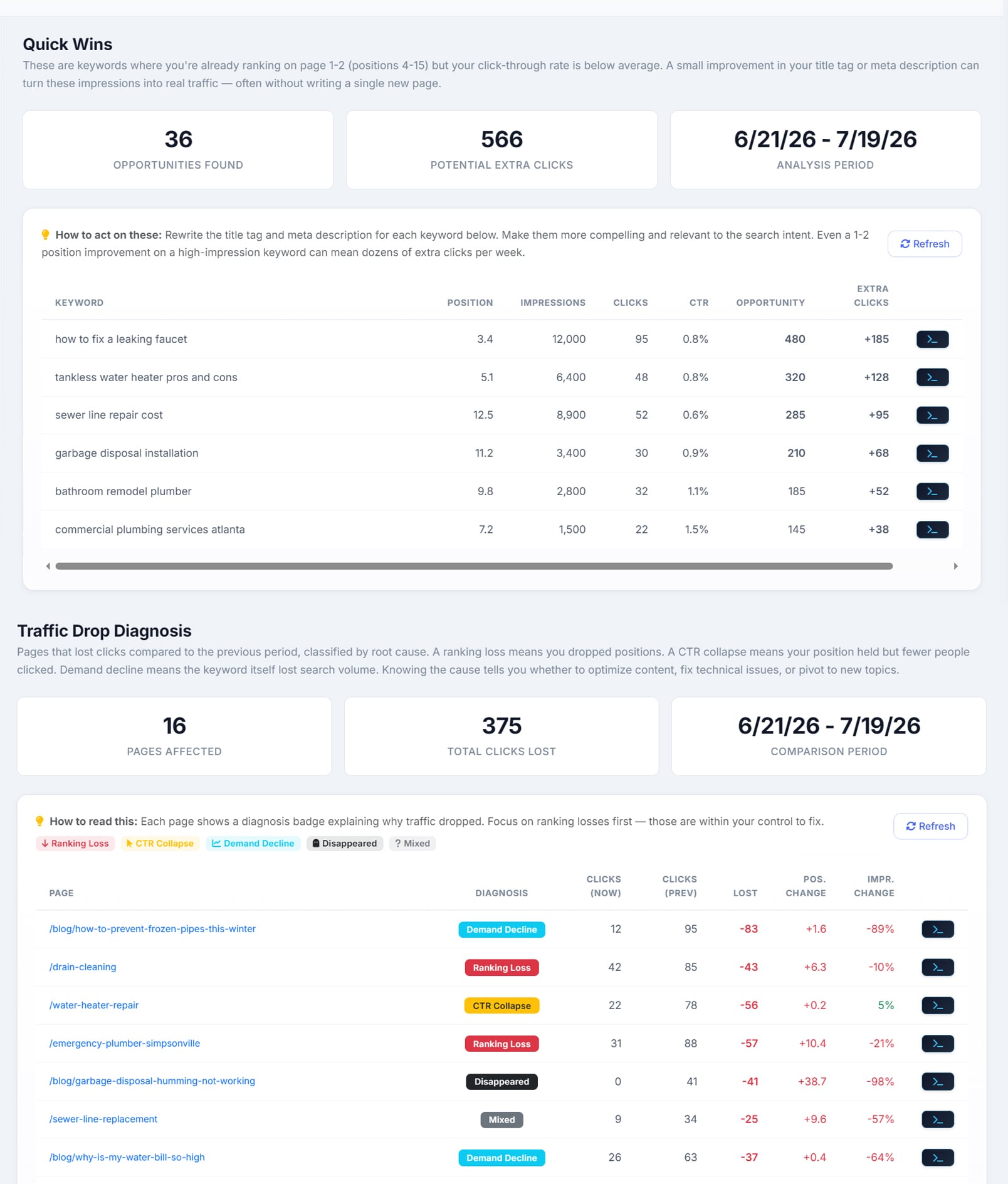
Quick Wins reads the site’s own Search Console data. It keeps a keyword when it has had at least 100 impressions (you can lower that), sits at an average position between 4 and 15, and gets fewer clicks than a result in that position normally does. Every keyword is compared with its own position: a result at 5 is expected to do better than one at 9.
The summary
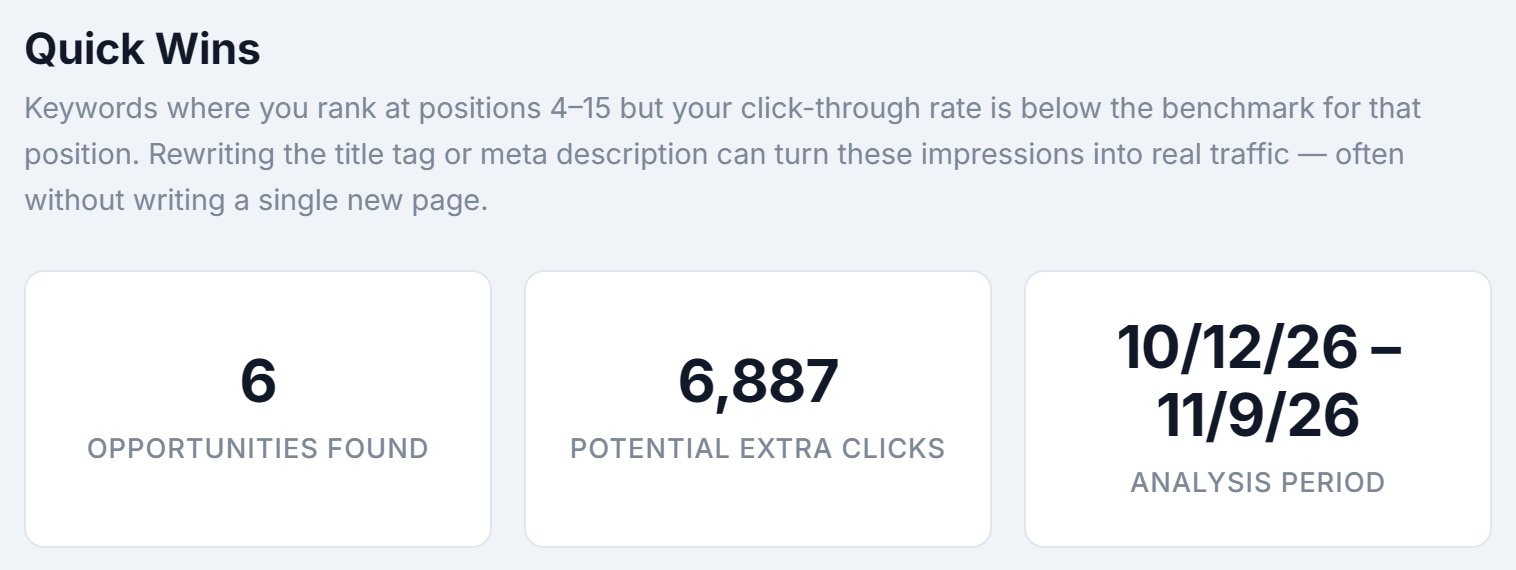
- Opportunities Found
- How many keyword-and-page pairs made the list. The table shows the 30 biggest.
- Potential Extra Clicks
- The extra clicks across every opportunity, not just the 30 on screen, over the period you’re looking at.
- Analysis Period
- The dates the numbers cover.
Range, minimum impressions and brand searches

- Last 28 days or Last 90 days
- 28 days shows what’s happening now. 90 days smooths out a slow month and catches keywords with fewer searches.
- Min impressions
- 100 by default, or 50 or 20. A keyword needs this many impressions in the period to make the list. Lower it for a small site, but treat the rows with care: on 20 impressions, a single click is a 5% click-through rate.
- Hide brand
- On by default. Searches for the business’s own name already go to the right place, so they’re left out. AlmaSEO takes the brand words from the site’s name, business name and owner in Business Information, and a note under the switch says how many searches it hid.
- Refresh
- Pulls the numbers from Search Console again. It costs nothing.
The table
One row per keyword and the page Google shows for it, biggest opportunity first.
- Keyword
- The search, with the ranking page underneath it.
- Pos
- The page’s average position for that search.
- Impr
- How many times the page appeared in results for it.
- CTR vs exp.
- The click-through rate it got, then the rate a result at that position normally gets. “0.7% / 6.0%” means it’s earning about a ninth of what it could.
- Extra clicks
- Impressions times the shortfall: the clicks it would have had at a normal rate for its position, over the period.
The current title
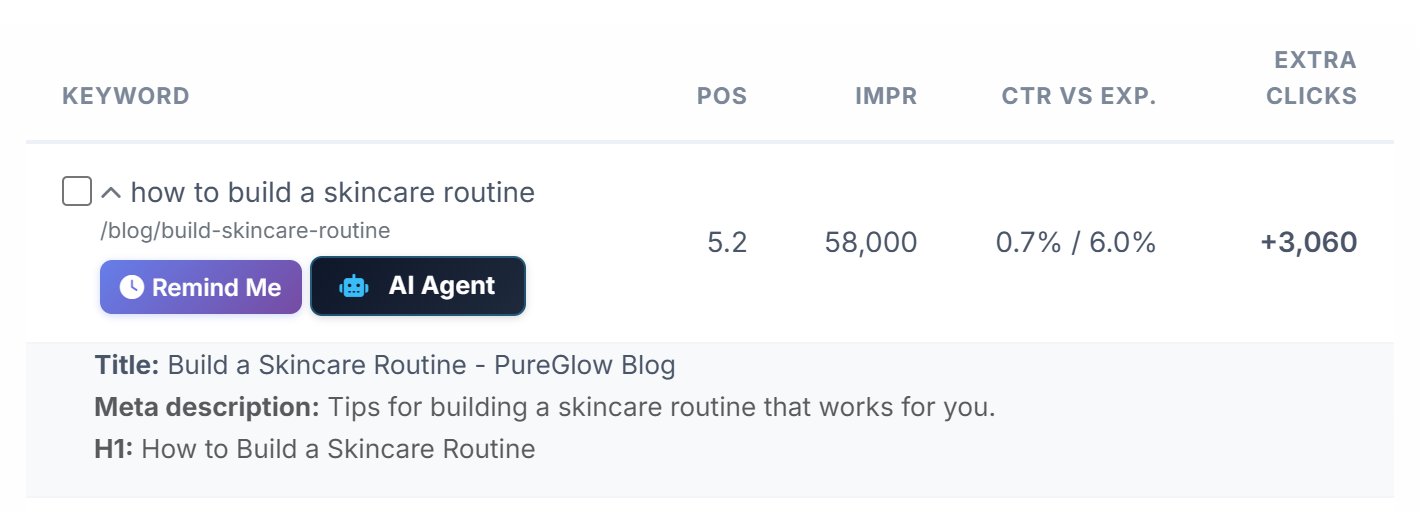
Click the arrow beside a keyword to open the row. It shows the page’s current Title, Meta description and H1, so you can see what to rewrite without leaving AlmaSEO. These come from AlmaSEO’s audit of the site, so the arrow only appears on pages the audit has read.
In the example, “Build a Skincare Routine - PureGlow Blog” is a label, not a reason to click. A title that answers the search, such as a step-by-step routine for a skin type, usually does better.
Page 2 keywords

Keywords past position 10 carry a Pg 2 tag. Few people reach the second page of results, so the expected rate there is low and so is the gain from a new title. These keywords need a ranking push as well: more depth on the page, and links to it from the site’s other pages.
Tick, Remind Me and AI Agent
Every row has a tick box beside the keyword and two buttons under it.
- The tick box
- Tick a keyword once you’ve rewritten its title. The row is struck through, and the tick is saved for everyone on the account, so a teammate can see what’s done.
- Remind Me
- Opens a reminder set for four weeks out, with today’s position and click-through rate written into it, so you can check whether the new title worked. Search Console needs a few weeks of new data before the change shows.
- AI Agent
- Sends the keyword, the page, its position, its click-through rate and a brief to rewrite the title and meta description to AI Agent Workspace, which can make the change on the site. Pro and Agency; on Solo the button reads AI Agent · Pro and links to the plans.
When the list is empty
An empty list says why. It counts the keywords at positions 4–15 that fell short of the minimum impressions, and offers one-click links to Last 90 days or a lower minimum. If every keyword that qualified is already earning the normal rate for its position, it says that instead, and it tells you how many brand searches it hid. If Search Console isn’t connected, the tab says so and links to connect it.
On a small site, the usual reason is volume. A site with a few thousand impressions a month may have dozens of keywords at positions 4–15, each seen a few dozen times. Try 90 days first; lower the minimum only if that’s still empty.
The same Quick Wins numbers appear in the site’s SEO Recovery tab, so the two always agree.