
Product guide · Inside a site · SEO Intelligence
Keyword Tracker
Keyword Tracker checks where a client site ranks in Google for the keywords you choose, every week, at no cost. Each keyword shows its position, how far it moved since the last check, the page that ranks, and the clicks and impressions it earned in Search Console. A chart shows the trend.
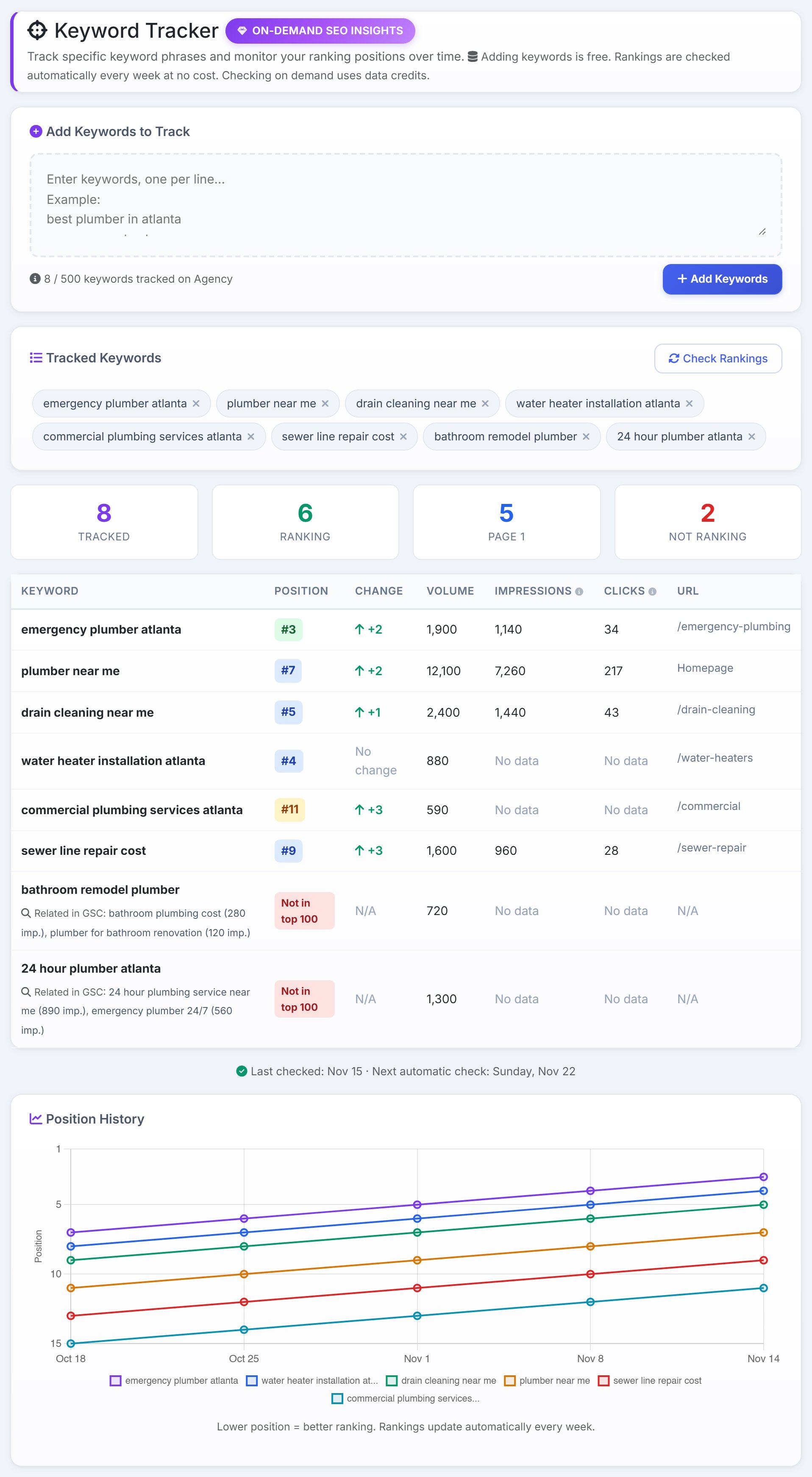
To check a keyword’s ranking by hand, you search Google from the right city and scroll until you find the site, then do it again next week and write both down. Keyword Tracker does that for every keyword on every client site, keeps the history, and puts the Search Console numbers next to each one.
Add keywords
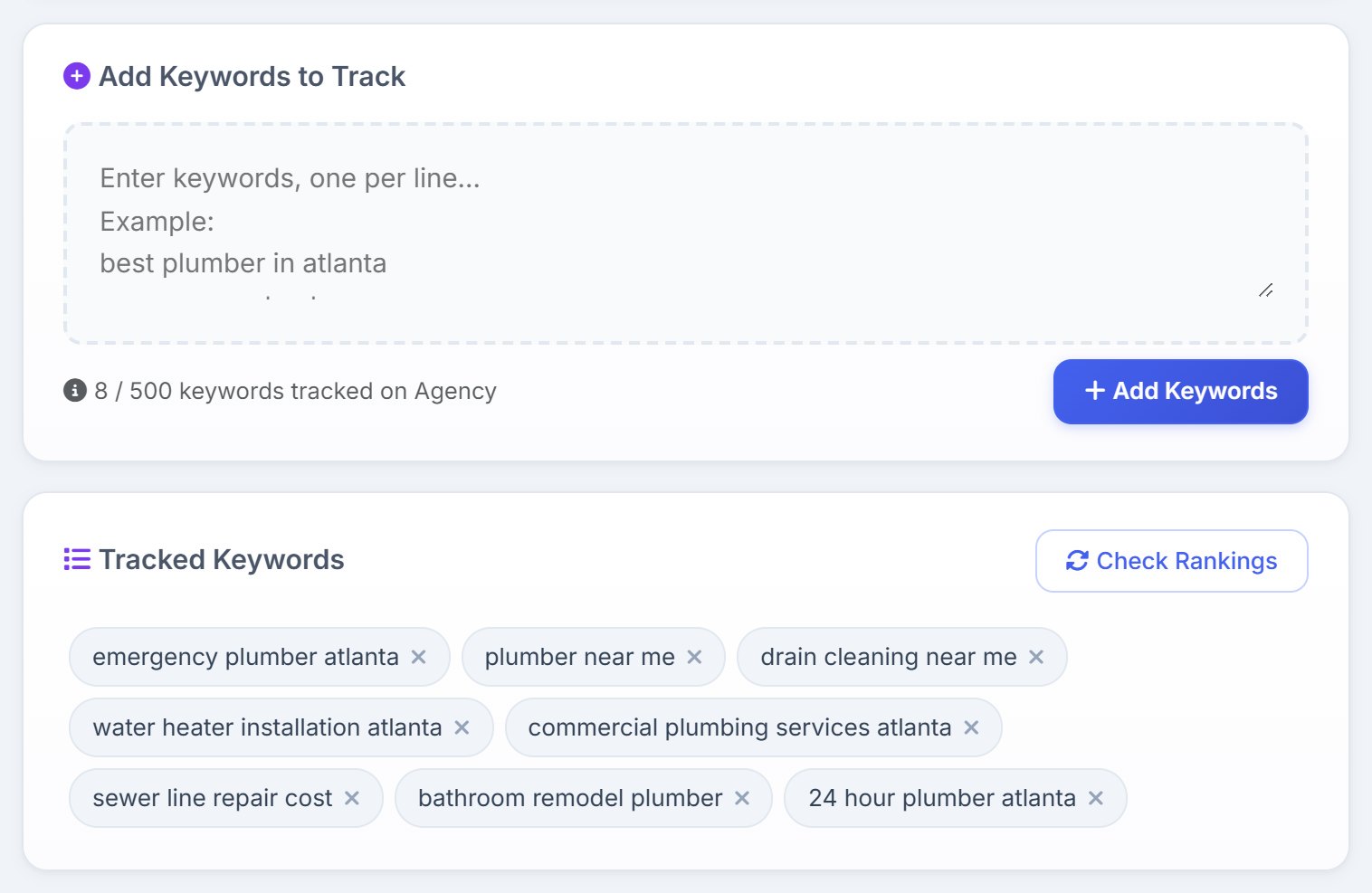
Type or paste keywords into Add Keywords to Track, one per line, and press Add Keywords. Adding and removing them is free. Each one appears under Tracked Keywords; the × on a keyword stops tracking it.
You can also add a keyword straight from Keyword Research with its Track button.
When rankings are checked
- The first check
- The first time you add keywords to a site, AlmaSEO checks them straight away, free. It takes a minute or two, and the results appear on their own.
- Every week
- Every Sunday, AlmaSEO checks every tracked keyword on every site, free. The line under the table says when it last checked and when the next check is. In the rare week the check is held back, the line says it’s delayed.
- On demand
- Check Rankings runs a check now, for the keywords you pick. It spends Data Credits; see Check Rankings now.
Each check is a live Google search for the keyword, the way a customer would do it: on desktop, looking through the top 100 results, on Google for the site’s own country and in its language. AlmaSEO judges the country from the domain, so a .co.uk site is checked on UK Google. When the site has a location set under Local SEO › Locations, the search is run from that city, so a local business sees its local ranking.
The summary
- Tracked
- How many keywords are tracked on this site.
- Ranking
- How many the site ranks for in the top 100.
- Page 1
- How many rank in the top 10.
- Not Ranking
- How many it doesn’t rank for in the top 100. If any keyword couldn’t be checked this time, the tile says how many, separately.
The table
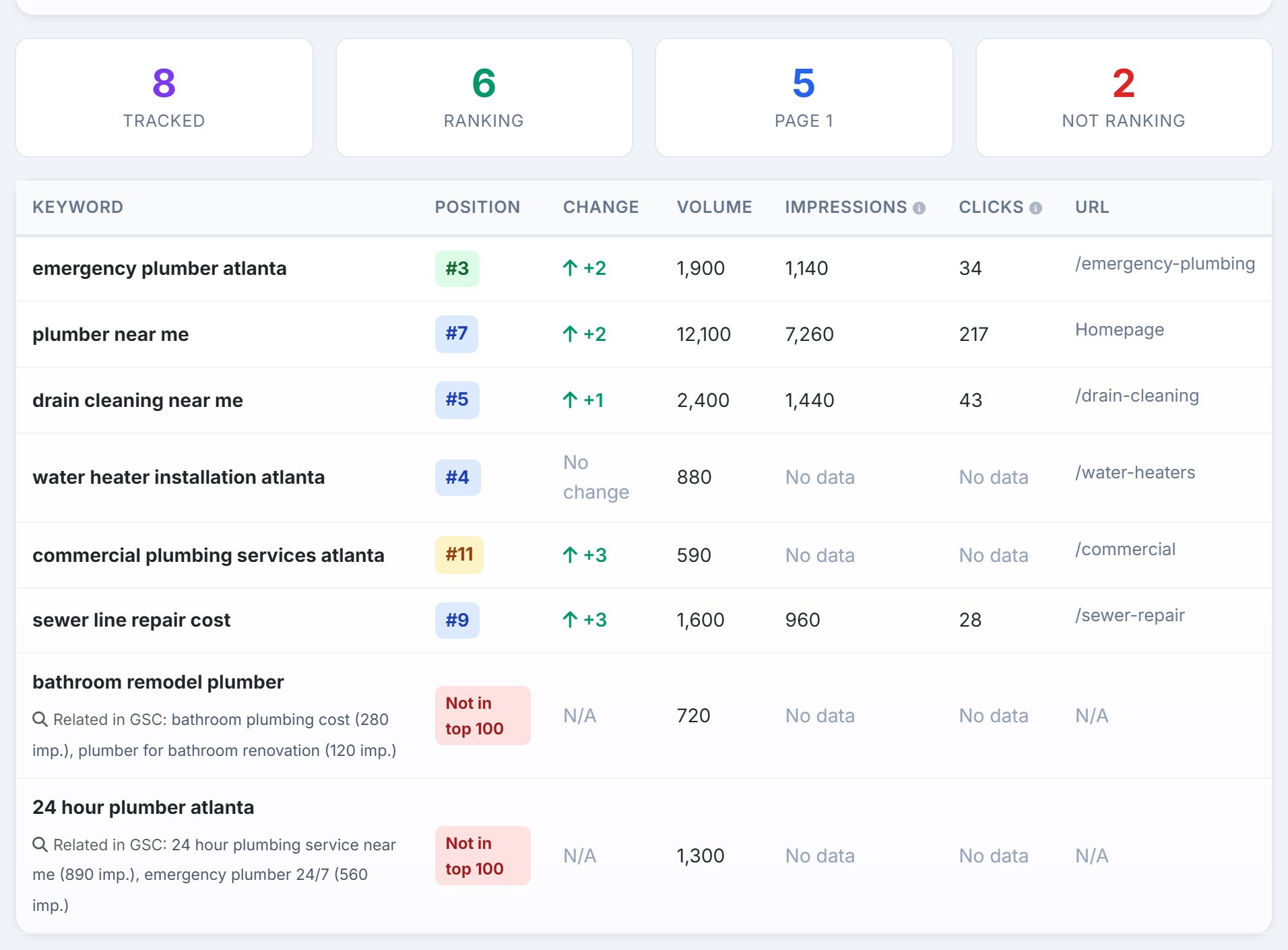
- Keyword
- The keyword you track. When Search Console has no data for it, Related in GSC underneath names up to two similar searches the site does appear for, with their impressions.
- Position
- Where the site ranked in the last check. Green is the top 3, blue the rest of page 1, amber page 2. A GSC badge means the site wasn’t in the live results that day, so the position is its Search Console average instead. Not in top 100 means just that. No data means Google didn’t answer in time for that keyword; check it again.
- Change
- Places gained or lost since the check before. New the first time a keyword is checked.
- Volume
- Monthly searches for the keyword. A new keyword shows Pending until the next weekly check looks it up, at no cost. <10 means fewer than ten a month; N/A means there’s no volume data for it.
- Impressions and Clicks
- From Search Console for the last 28 days: how often the site appeared for the keyword and how often someone clicked. Point at the heading for the exact dates. No data means Search Console hasn’t reported that search for the site. If Search Console isn’t connected, the column offers Connect GSC.
- URL
- The page that ranks, or Homepage.
Position History
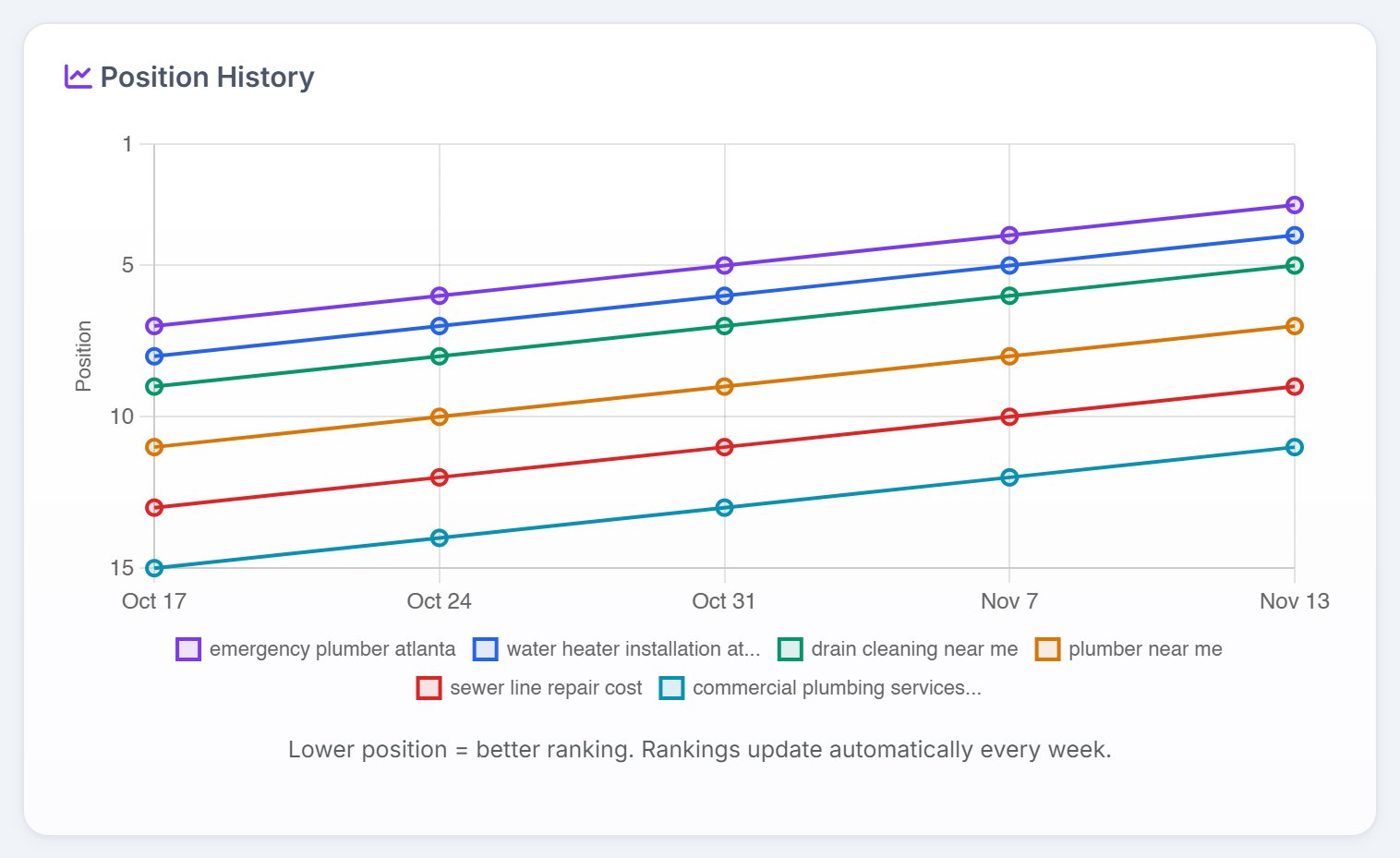
After the second check, a chart shows how each keyword has moved, one line per keyword, for the ten best-ranking ones. It covers the last 30 checks. Until then, the card says the chart will appear after the next weekly check.
Check Rankings now
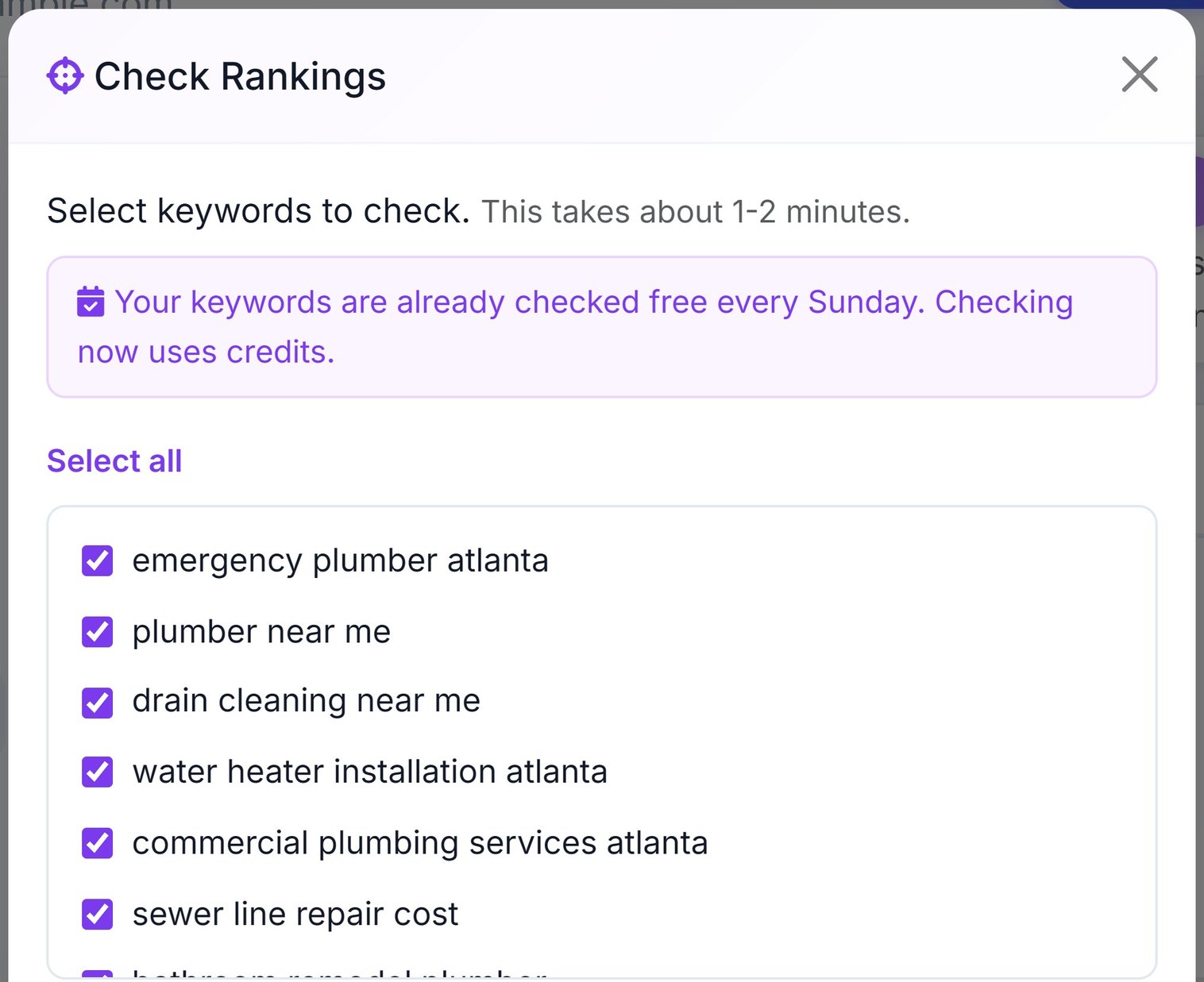
When you need a ranking before Sunday, such as right after a page goes live, press Check Rankings. Tick the keywords to check, or use New keywords only for ones that haven’t been checked yet. Below the list, AlmaSEO shows what the check will cost in Data Credits, your balance, and what’s left after. Check Now stays off if the balance isn’t enough.
The check takes a minute or two, and you can leave the page while it runs. You’re only charged for keywords Google answered for. A keyword that comes back No data costs nothing, so check it again.
Plan limits and team access
- How many keywords
- Each site can track 25 keywords on Solo, 150 on Pro and 500 on Agency. The count under the box shows where you are, and an upgrade link appears as you near the limit. If you paste more than fit, AlmaSEO adds what it can and tells you how many didn’t.
- Your team
- Anyone on your team who can open the site can use its Keyword Tracker. On-demand checks spend the account owner’s Data Credits.