How do I log the time I work?
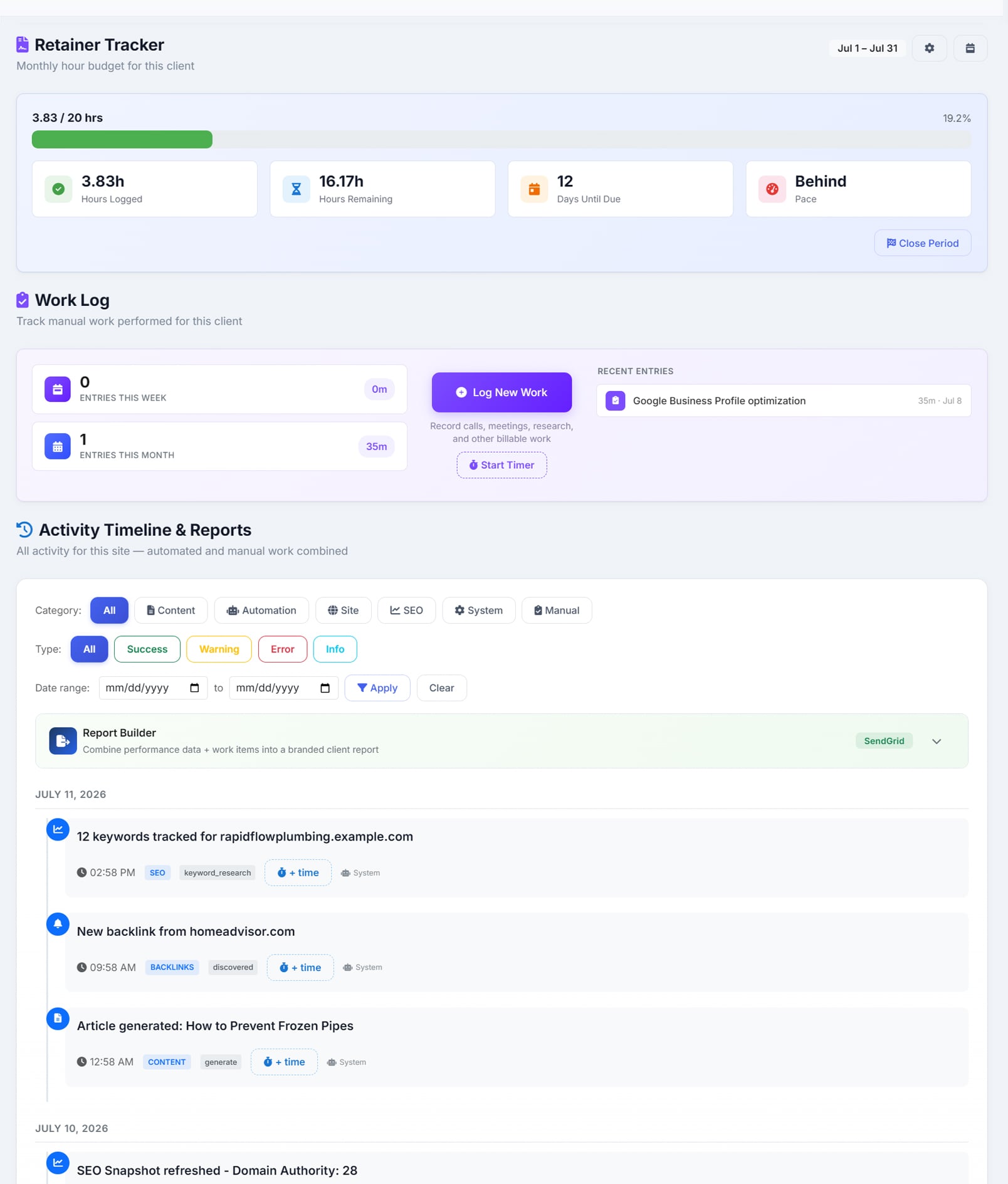
Start a timer and get on with the job — when you stop it, AlmaSEO opens the log dialog already filled in with the time and you pick the work type. Time lands in fifteen-minute increments, and the timer stops itself at eight hours rather than quietly running all weekend because you closed your laptop. You can run up to three at once, one per client, visible in the top bar wherever you are. Or skip the timer entirely and log work manually against any date or date range, across seventeen work types. The same dialog carries a billable switch: leave it on for ordinary work, turn it off for the hour you decided not to charge for, and that hour stays out of the retainer count and off the invoice while remaining in the record.
What happens to my daily target when I take a week off?
Book the week and it comes out of the maths. Time off is a date range you add on the workload page, and those days stop counting as working days for your target — alongside any company holidays your agency keeps on its own calendar, which apply to everybody. The reason it matters: without booking it, the work doesn't go away, so the same hours get spread across the days you are at your desk and every one of them looks behind. You come back from a fortnight away to a number that was wrong the entire time you were gone. What AlmaSEO won't do is guess — a week you didn't book still reads as a week you were available, because software that decides you were on holiday when you were merely having a thin Tuesday is worse than software that asks.
Can I log time I am not charging the client for?
Yes — flip the entry to non-billable when you save it. The work is still logged, still in the client’s history and still yours to point at, but it doesn’t consume the retainer and it isn’t pulled onto an invoice. That matters more than it sounds: the goodwill fix and the call that ran long are exactly the work that quietly eats a twenty-hour retainer and then makes the month look like overservicing. The retainer card then shows both numbers — the billable hours it counts, and beneath them what you gave away this period and what share of your time was chargeable. What this is not is an accounting layer: there’s no write-off report, no billing the same hour at two rates, and no history of that ratio over time.
Does it track against the client’s billing cycle or the calendar month?
Theirs. You set the hours sold and the day their cycle turns over, so a client who bills on the 12th is measured from the 12th and the numbers mean something to the person paying. Closing a period snapshots it, and hours you went over roll into the next period as time already spent — so over-delivery follows you honestly instead of quietly resetting.
How do I know today whether the month is still deliverable?
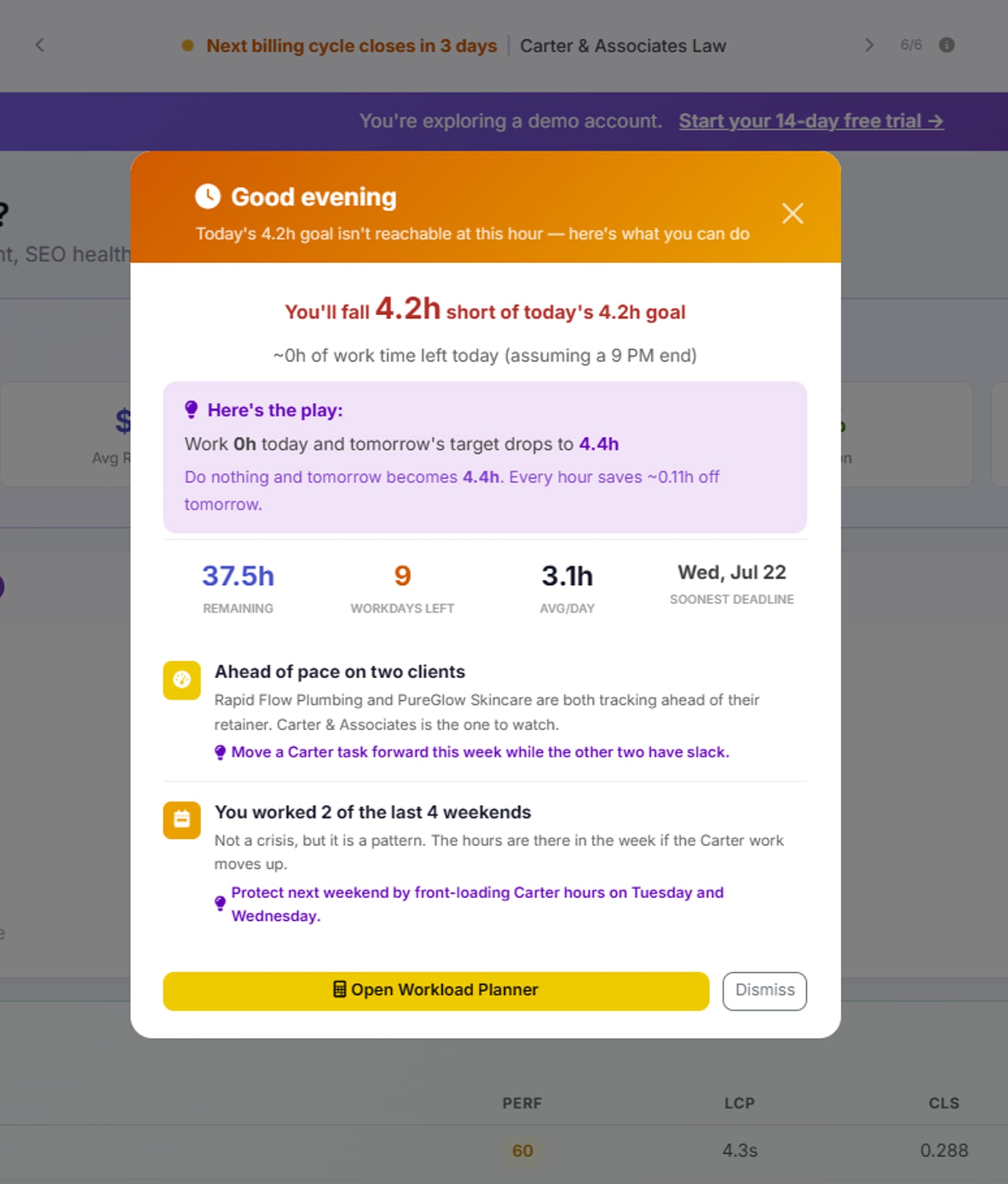
The figure sits in the top bar: the hours you would need to work today across every client to stay on track, summed per client so mixed billing cycles come out right. AlmaSEO also works out tomorrow’s number if you do nothing today, and how much each hour you work now takes off it.
Does it tell me whether I am ahead or behind?
Yes, as pace rather than a raw total — ahead, on track or behind, measured against where you should be by this point in the period rather than against the finish line. Being at 40 per cent on day four is fine; being at 40 per cent on day twenty is not, and a total alone can’t tell you which one you are looking at.
Will it tell me which client is the problem?
Yes, by name rather than as a number. It surfaces clients with only a few working days left, clients already past quota, clients with nothing logged this period at all, and the heaviest account of the month.
Does it warn me before a month becomes impossible?
That is what compression is for. When the pace the plan now needs is one and a half to two times the pace you have actually kept over the last thirty days, AlmaSEO says so while the month can still be changed. And when the arithmetic says you would need twelve hours a day to finish, it says that plainly rather than showing you the number and wishing you luck.
Does it watch how hard I am working?
Yes, and it states the pattern as a fact rather than a judgement. Three days in a row at eight hours or more is flagged and five escalates it. Working three of the last four weekends is counted. No rest day in the last seven is flagged, and one or fewer in fourteen escalates, as does three consecutive rising weeks on top of an already heavy load.
How does the hourly rate on an invoice get set?
It is worked out from the retainer — the fee divided by the hours sold — rather than being a rate you set directly. There are no per-work-type rates and no rounding rules, because it is built for retainer clients, which is what most of this page assumes. Pull a date range and the hours come out grouped by what you were doing, ready for the invoice. Hours can also appear on the client’s work report or be hidden from it, as a per-client switch.