
Why this matters
Every piece of content, every service page and every title rewrite starts with a keyword. Pick the wrong ones and the work ranks for searches nobody local makes, or for searches the client already wins.
Keyword research for local SEO is narrower than the general kind: a plumber in Atlanta doesn't need "water heater repair denver", however many people search it. What matters is what customers in the client's area type, and how close the site already is to showing up for it.
The business concept: spend effort where it pays
An agency's hours are the expensive part. Keyword research decides where they go.
- Start from what's nearly working. A page sitting at position 7 needs a push, not a new page. That's the fastest result you can show a client.
- Fill real gaps next. A service the client offers with no page for it is lost business every month.
- Skip what's already won. Searches for the client's own name, or a page already in the top three, have little left to give.
The SEO concept: position, demand and intent
Three questions decide whether a keyword is worth working on:
- Where does the site rank now? Page 1 below the top three, and page 2, are where a little work moves the most clicks.
- Does anyone search it? Impressions from Search Console show real demand for searches the site already appears for. For new searches, search volume fills the gap.
- What does the searcher want? Transactional searches ("near me", prices, "emergency") want to hire now. Commercial ones ("best", "vs") are comparing. Informational ones want an answer. Navigational ones want a particular business. Each needs a different kind of page.
Walkthrough
Where: open a client site from Sites, then SEO Intelligence › Keyword Research. Plans: every plan. Needs: Search Console connected for the searches the site already ranks for.
- Read the list top down. It's sorted by score: keywords the site nearly ranks for, real gaps and searches few people click come first. Point at a score to see why it got it.
- Check the page under each keyword. It's the page Google ranks for that search. If it's the wrong page, that's your first fix.
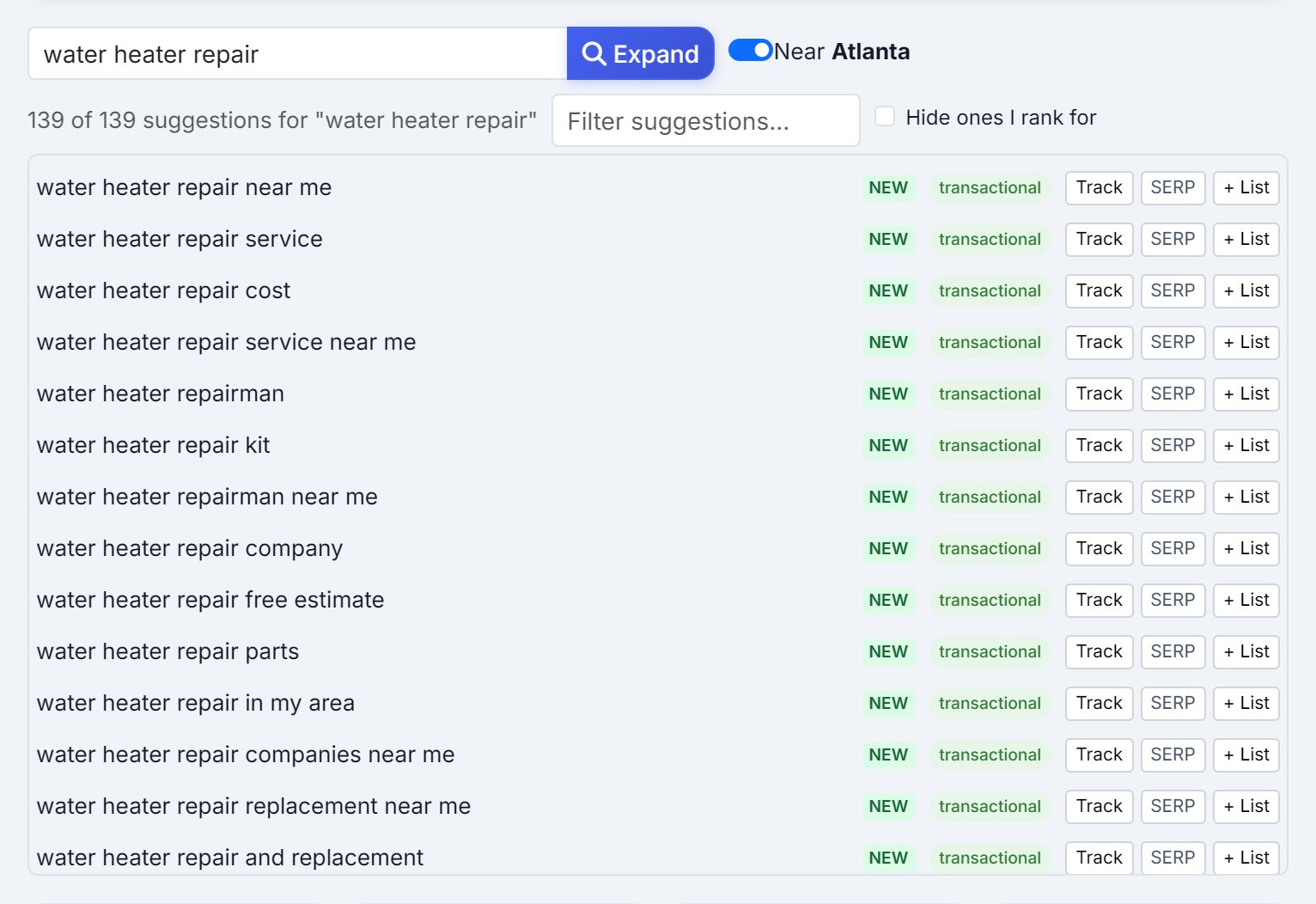
- Expand a topic. Type a service into the research box and press Expand. Leave Near on for a local client: you get the searches in their city and "near me", without other cities and states.
- Hide what you already rank for. Tick Hide ones I rank for to see only new ground, then + List the ones worth keeping.
- Get volumes for the shortlist. Get Volumes looks up monthly searches. It shows your Data Credits balance and the exact cost before spending anything.
- Act on it. Track the keywords you'll report on, Check SERP to see who you're up against, and on Pro and Agency send one to AI Agent with a brief to write, strengthen or retitle the page.
Real-world example: the plumber's next month of work
- The list: Rapid Flow Plumbing has 15 keywords, 6 of them scoring 40 or more.
- The near misses: "drain cleaning near me" sits at 6.8 and "emergency plumber atlanta" at 4.2. Both are on page 1 but out of the top three. You add prices and response times to both pages.
- The page-2 one: "sewer line repair cost" is at 12.5 with 890 impressions. You send it to AI Agent to strengthen the blog post.
- The gap: "water softener installation" has 1,200 searches a month and no page. The client installs them. You write the page.
- The new ground: expanding "water heater repair" near Atlanta turns up "water heater repair cost" and "water heater repair free estimate", neither in the list. You add both and track them.
- What you skip: "rapid flow plumbing" scores 5. People searching the name already find it.
Key takeaways
- Start with keywords the site nearly ranks for: positions 4 to 20 move fastest.
- A service with no page is a gap worth filling before chasing new topics.
- Keep local research local: other cities' searches are no use to a local business.
- Match the page to the intent: hire-now searches want a service page, questions want an answer.
- Look up search volume for the shortlist, not everything, and see the cost first.
Next up is Keyword Tracker: checking where those keywords rank, every week.