
Why this matters
Most of what an agency does in AlmaSEO costs nothing beyond the plan: audits, content, reports, the client portal, the work log. A handful of checks are different. They go out to a paid data provider and fetch something live: where a page ranks right now, what Google's AI Overview says today, who links to a competitor.
Those checks cost AlmaSEO real money every time they run, so AlmaSEO meters them with data credits instead of raising everyone's subscription. An agency that never runs a live check never pays for one. An agency that runs a lot of them pays for what it uses, and can see exactly which client used it.
The business concept: live data is a pass-through cost
Every agency has costs that belong to a specific client: a stock photo, a paid directory listing, a tool bought for one project. Smart agencies treat those as pass-through costs: they track them per client and build them into the price, rather than letting them quietly eat the margin.
Live SEO data works the same way. If one client needs a live rank check every week, that's a cost of serving that client. The Data Credits page shows which client each check ran for, so the cost is visible and you can decide what to do with it:
- Absorb it for a client where it's small.
- Price it in for a client who needs a lot of live data, as a line in the retainer.
- Skip it when saved data answers the question just as well.
The SEO concept: fresh data versus saved data
Search results change constantly, but not every question needs today's answer.
- Fresh data is worth paying for when timing matters: checking a ranking right after a fix, seeing what the AI Overview says about a client this week, checking a local ranking from the town the client actually serves, or sizing up a competitor's links before a pitch.
- Saved data is fine when you need the trend, not the minute: a monthly report, a quarterly review, or a question AlmaSEO answered recently.
AlmaSEO makes this choice for you where it can. When it already holds the answer, it serves the saved result and charges nothing. The usage table shows that as Saved data and No credits used.
Walkthrough
Where: Data Credits, in the sidebar under Tools. Plans: every plan. Credits are bought separately from the subscription, on their own checkout.
What spends credits
Only the checks that fetch something live:
- a live SERP check: the real results page for a keyword, right now
- an AI Overview scan: whether Google's AI answer mentions the site, and who it cites instead
- a local rank check: position from a particular place
- keyword volume and an extra keyword-tracking check (the Keyword Tracker's weekly Sunday check is free)
- a domain overview, a link profile or a link gap against a competitor
Each one shows its cost on the screen where you run it, before it runs. If the balance won't cover it, AlmaSEO refuses instead of surprising you.
Your balance
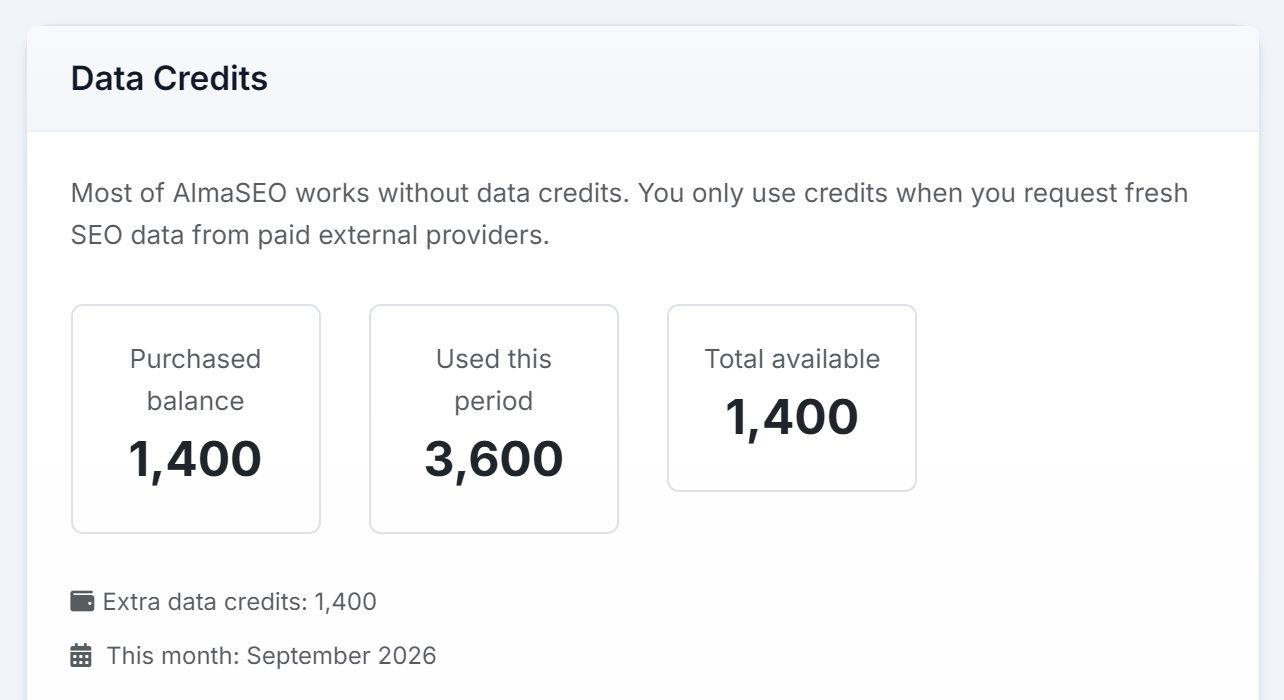
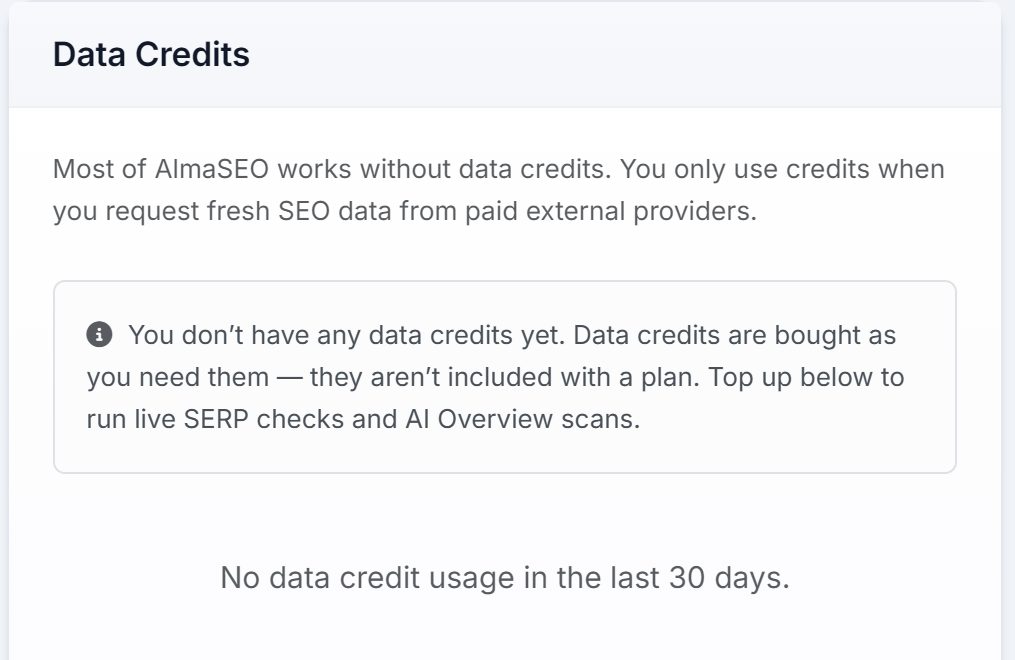
Once an account has credits or any history, three figures sit at the top:
- Purchased balance: what you bought and haven't spent
- Used this period: what has gone out recently
- Total available: what's left. It turns amber when it's getting low and red when it's gone.
Recent activity
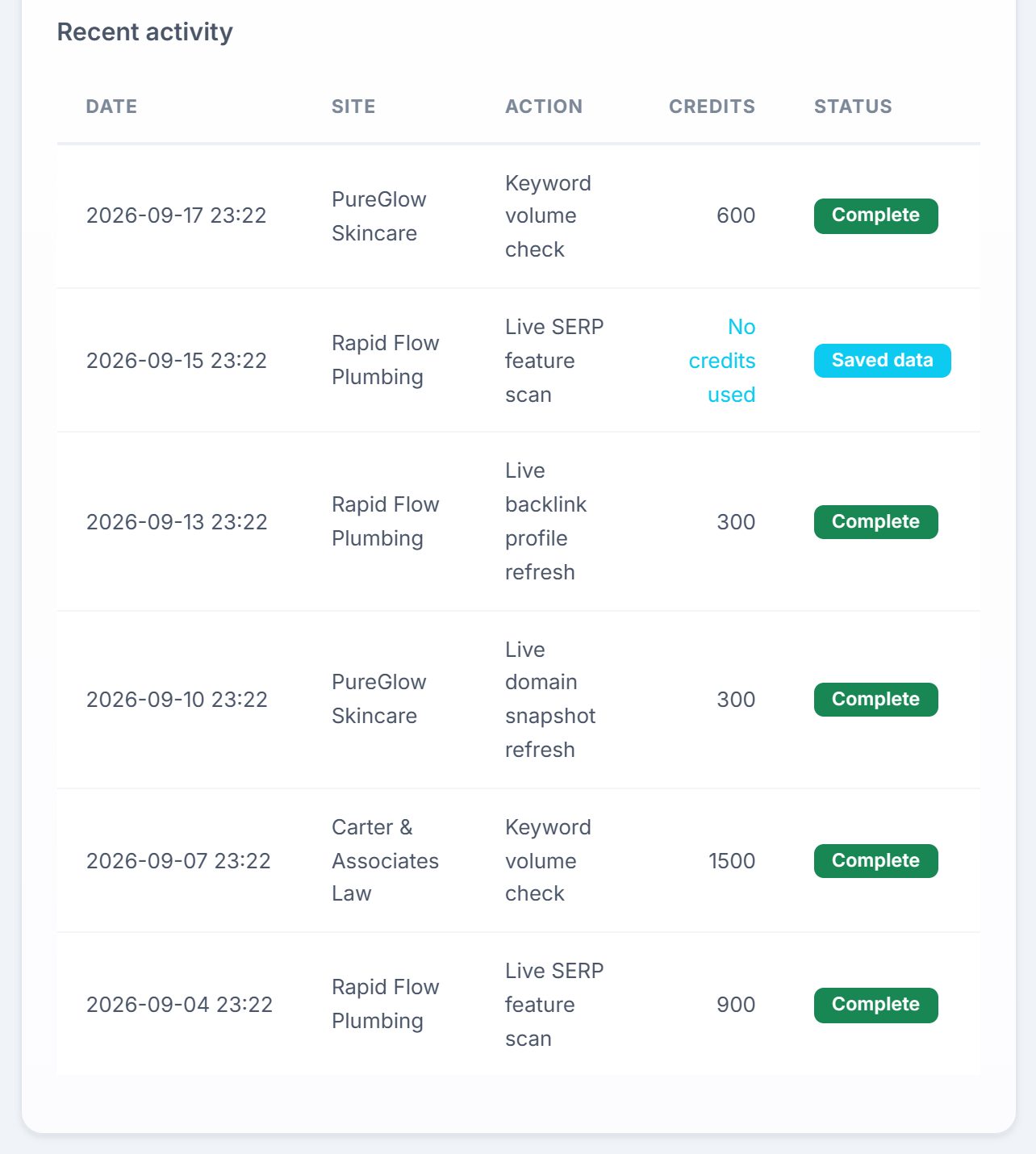
Every metered check is listed with its date, the site it ran for, the action, the credits it used and its status. Read it like a phone bill: it tells you which clients cost the most to serve.
Topping up
At the bottom of the page, Add extra data credits lists the packs, each with its current price and a checkout button. Credits remain available until used. Nothing expires at the end of a month.
Real-world example: pricing live data into a retainer
You manage six clients. Five are happy with a monthly report. The sixth, a roofing company in a competitive city, wants to know every week whether they're in Google's AI Overview for "roof repair near me" and where they rank from three suburbs.
- You start small. You buy the smallest pack and run the roofing client's checks for a month.
- You read the usage table. At month's end, almost every row is the roofer: AI Overview scans and local rank checks. The other five barely appear, and two of their checks show Saved data, at no cost.
- You see the real cost. The roofer's live data is now a known monthly cost, not a guess.
- You price it in. At renewal you add a "weekly AI Overview and local rank monitoring" line to the roofer's retainer. The other clients' prices don't change.
The roofer gets the weekly answers they wanted, and your margin on that account stops shrinking.
Key takeaways
- Most of AlmaSEO runs without credits. Only checks that buy live data from outside providers spend them.
- Every metered check shows its cost before it runs, and refuses if the balance won't cover it.
- Saved data costs nothing, and AlmaSEO uses it automatically when it already has the answer.
- Credits are one account-wide balance, but the usage table shows which client spent them.
- Credits don't expire, and they're bought separately from your plan.
- Live data for one client is a cost of serving that client. Price it in.
Next up is AI Agent Workspace, where AlmaSEO stops reporting on a client's site and starts fixing it.