
Why this matters
Most clients only hear from their agency when an invoice arrives or something goes wrong. Neither one makes them want to renew.
A short, regular newsletter changes that. It reminds clients what you do between reports, answers their questions before they ask, and keeps you in front of the prospects who aren't ready to sign yet. Email Marketing is where you write it, send it and see how it landed, without leaving AlmaSEO.
The business concept: stay visible between reports
Retainers rarely end because of one bad month. They end because the client stops seeing the work. Months of steady, invisible fixes look like nothing happened.
A newsletter is the cheapest way to stay visible:
- For clients, it's proof of attention. Something arrives from you every month that isn't a bill.
- For prospects, it keeps you in mind until the day they need an agency.
- For you, it's an owned audience. Your list is yours. It doesn't depend on a social network deciding who sees your posts.
Keep it short. One useful idea, one piece of your own work, one clear next step beats a long digest nobody finishes.
The SEO concept: tell clients about updates before someone else does
Google changes its ranking systems constantly, and a few times a year it announces a big core update. Rankings move during the rollout, sometimes for weeks.
Clients hear about these from a news headline or a competitor. If you haven't said anything, the silence reads as "my agency didn't notice." A short note sent early does the opposite:
- Say what changed, in a sentence or two.
- Say what you're watching, such as which pages and which numbers.
- Say what not to do. Rewriting the whole site in the middle of a rollout usually makes things harder to read.
That's what the Algo Update block is for. Keep the client's own results in a separate block, so the general news and the specific work don't blur together.
Walkthrough
Where: Email Marketing, in the sidebar under Tools. Plans: Agency. It sends through your agency's own Mailchimp account.
Connect your Mailchimp account first
On the Mailchimp Settings tab, paste your Mailchimp API key, set the From Name your clients will see, and give a Reply-To address a person actually reads. Test Connection proves AlmaSEO can reach your account.
This is your agency's list. It's separate from the Mailchimp connection inside a client's site, which sends that client's own campaigns to their own subscribers.
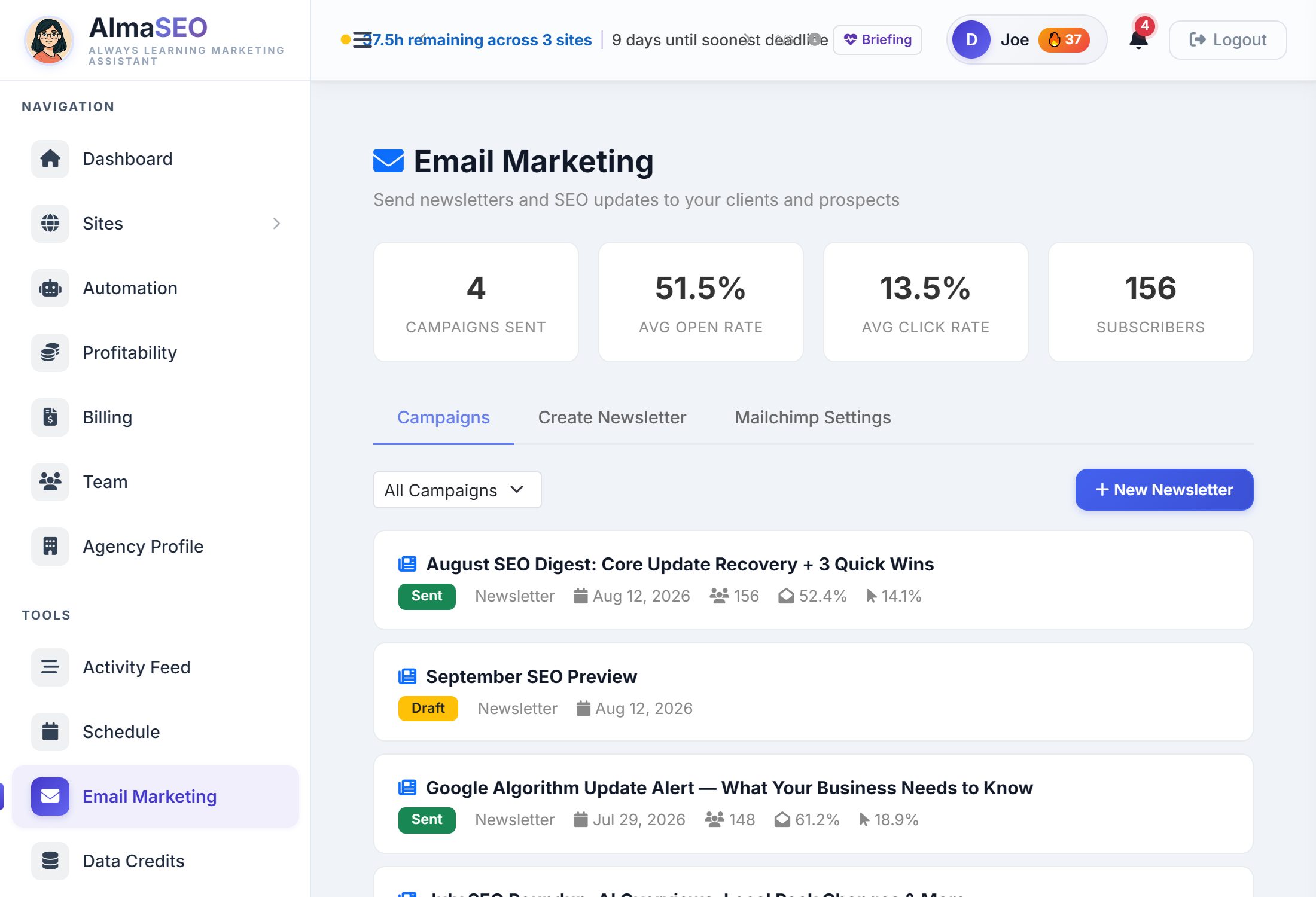
Read the four numbers

- Campaigns Sent: newsletters sent from here. Drafts don't count.
- Avg Open Rate and Avg Click Rate: averaged across those campaigns from Mailchimp's own reports. Clicks matter more than opens: a click means someone acted.
- Subscribers: everyone on your Mailchimp lists, read live.
Build a newsletter
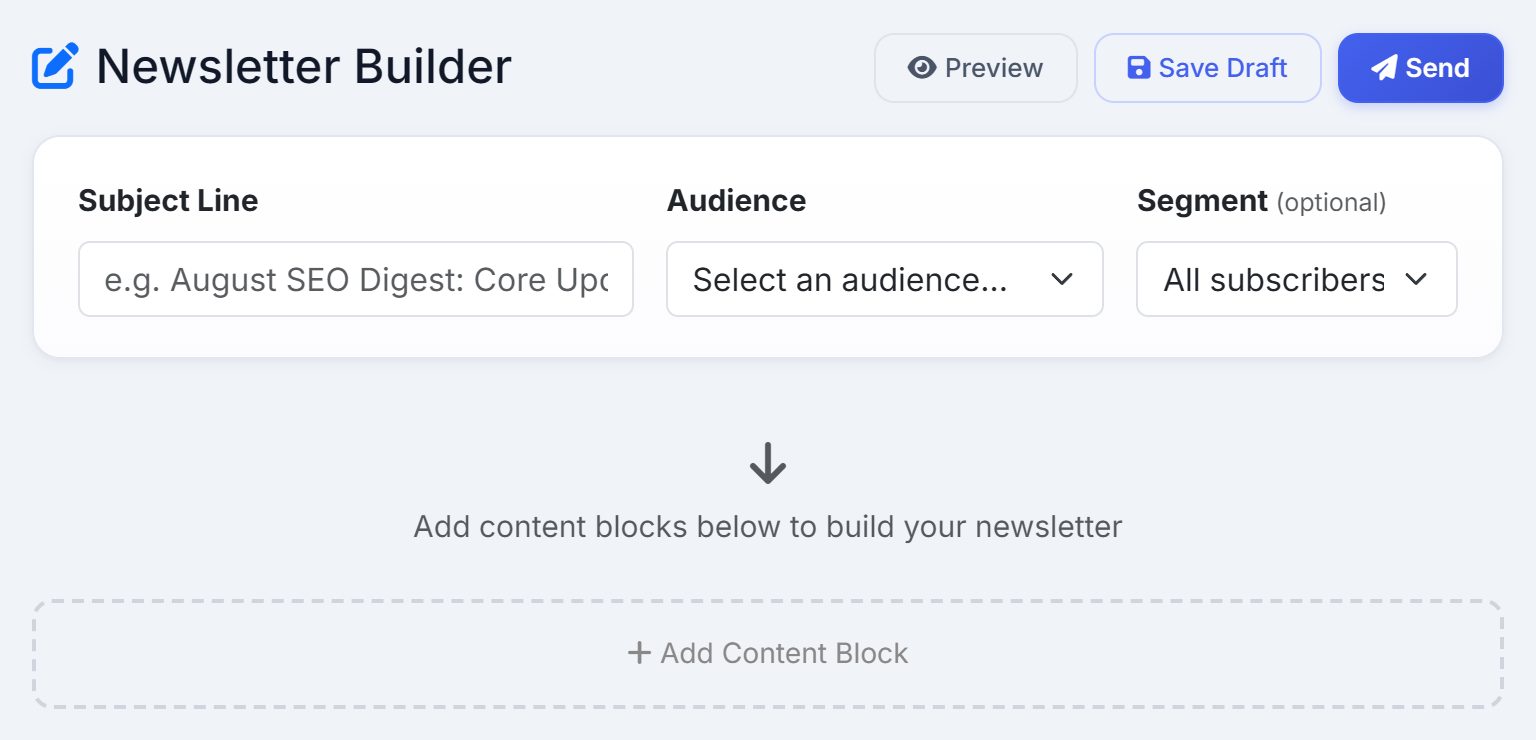
- Click New Newsletter.
- Write the Subject Line. It's also the campaign's name in your history.
- Pick the Audience (which Mailchimp list) and, if you want, a Segment such as current clients only.
- Add blocks in the order you want them read.
- Preview it, Save Draft, or Send.
The five blocks
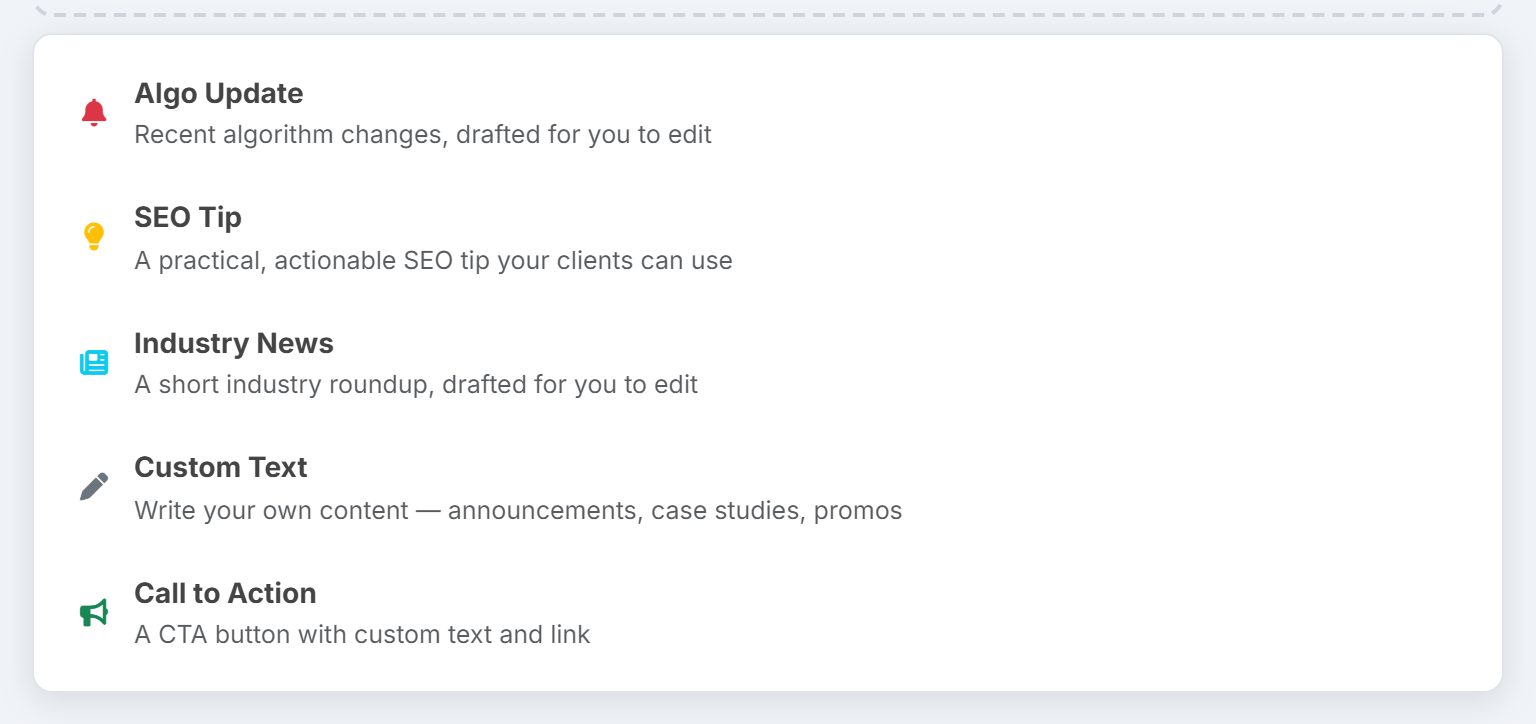
| Block | What it's for |
|---|---|
| Algo Update | Recent algorithm changes, drafted for you |
| SEO Tip | One practical thing a client can act on |
| Industry News | A short roundup, drafted for you |
| Custom Text | Your own words: results, an announcement, a case study |
| Call to Action | A button with your text and your link |
The written blocks are drafts AlmaSEO writes from what it knows about SEO, not from a live feed. Read each one, cut what doesn't apply, and add what actually happened this month.
Real-world example: the month of the core update
You run a six-client agency. On Monday, Google announces a core update.
- Monday afternoon, you open New Newsletter and choose your current-clients segment.
- You add an Algo Update block and edit it down to three sentences: what changed, that rankings may move for a couple of weeks, and that you're watching each client's top pages.
- You add a Custom Text block: last month you fixed a noindex tag on Rapid Flow Plumbing and their traffic came back. One sentence, one number.
- You finish with a Call to Action button to your contact page, and a line inviting replies. Those go to your Reply-To address.
- Two weeks later, one client's rankings dip and recover. They don't email in a panic. They already knew to expect it.
Key takeaways
- Email Marketing sends from your agency's Mailchimp list. A client's own newsletter uses the separate Mailchimp connection in their site.
- The written blocks are drafts. Edit every one.
- Tell clients about big Google updates before they hear about them elsewhere.
- Your own results, in a Custom Text block, are what make a newsletter worth opening.
- Watch the click rate more than the open rate.
- Use a reply-to address a person reads. The replies are the conversations that renew retainers.
Next up is Data Credits: what the handful of paid data checks are and when fresh data is worth it.